Projects
What's a Project?
Every show in Simpli Show lives in a project. A project is a folder on your disk that holds everything — your media, cues, scenes, and settings — all in one place. Want to share a project or move it to another machine? Use Export to create a .simpli file, and Import on the other end to unpack it.
Getting Started
On the start screen you have two options:
- Create Project — Pick an empty folder where your new project will live, give it a name, and you're good to go.
- Import Project — Got a
.simplifile from a colleague or another machine? Import it here and Simpli Show unpacks everything for you.
Once you've created a project, you'll find the project settings in the toolbar on the right side. There you can change the project name, description, folder, and thumbnail — the image that represents your project on the start screen.
Cues and Scenes
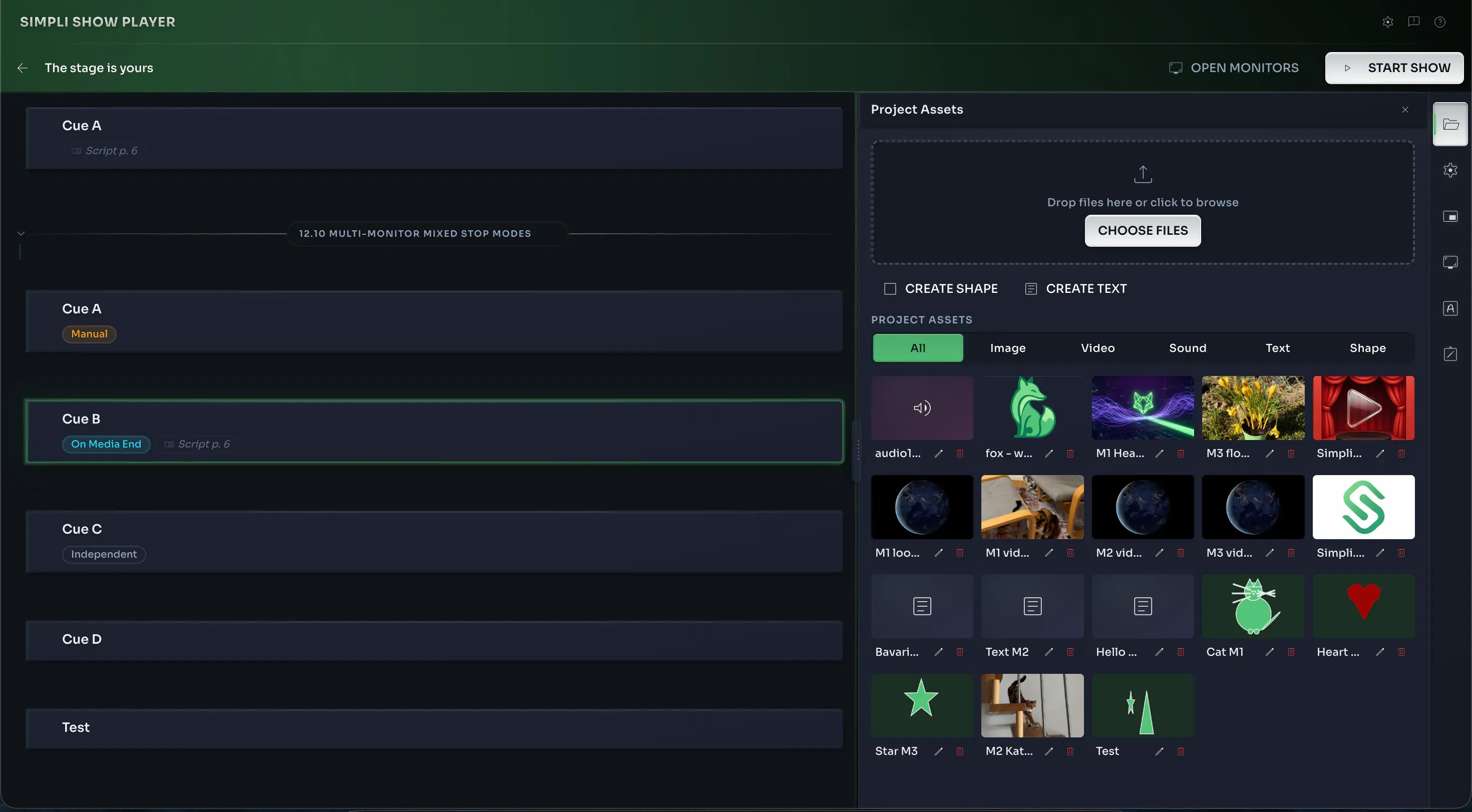
A project is made up of cues and scenes. They take up the main workspace and are what you'll spend most of your time with.
Cues
A cue is a snapshot of everything happening on your outputs at a given moment — which images, videos, audio, and text appear on each screen. Your cues are listed in order, and during the show you step through them one by one. Drag and drop them to rearrange the order.
Scenes
Scenes let you group cues into logical sections — think "Act 1", "Intermission", "Act 2". They're great for keeping larger shows organized and easy to navigate.
Keyboard Shortcuts
| Shortcut | Action |
|---|---|
Cmd + N | New cue |
Cmd + S | New scene |
Cmd + C | Copy cue |
Cmd + V | Paste duplicate cue (you'll be prompted for a cue name) |
Backspace | Delete cue |