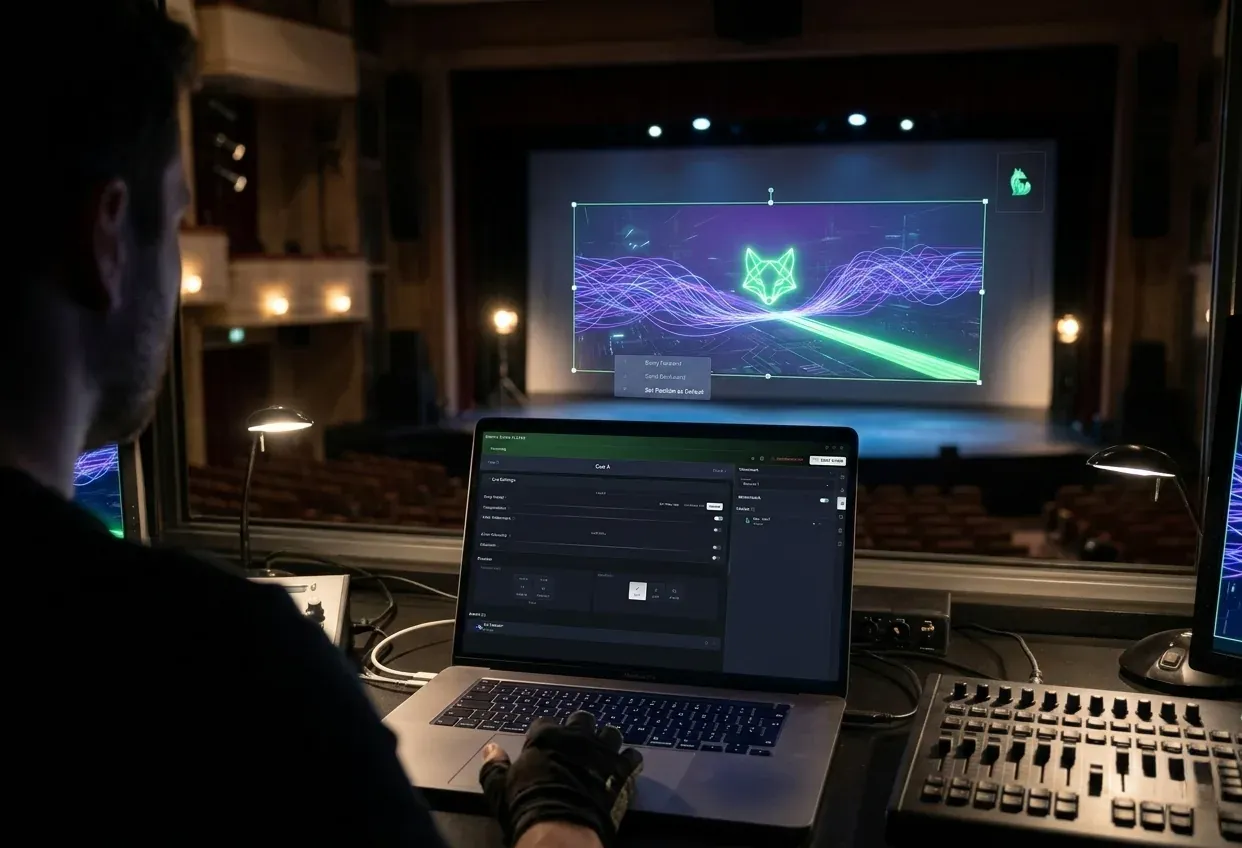
Simpli Show
Five kinds of part, and no template
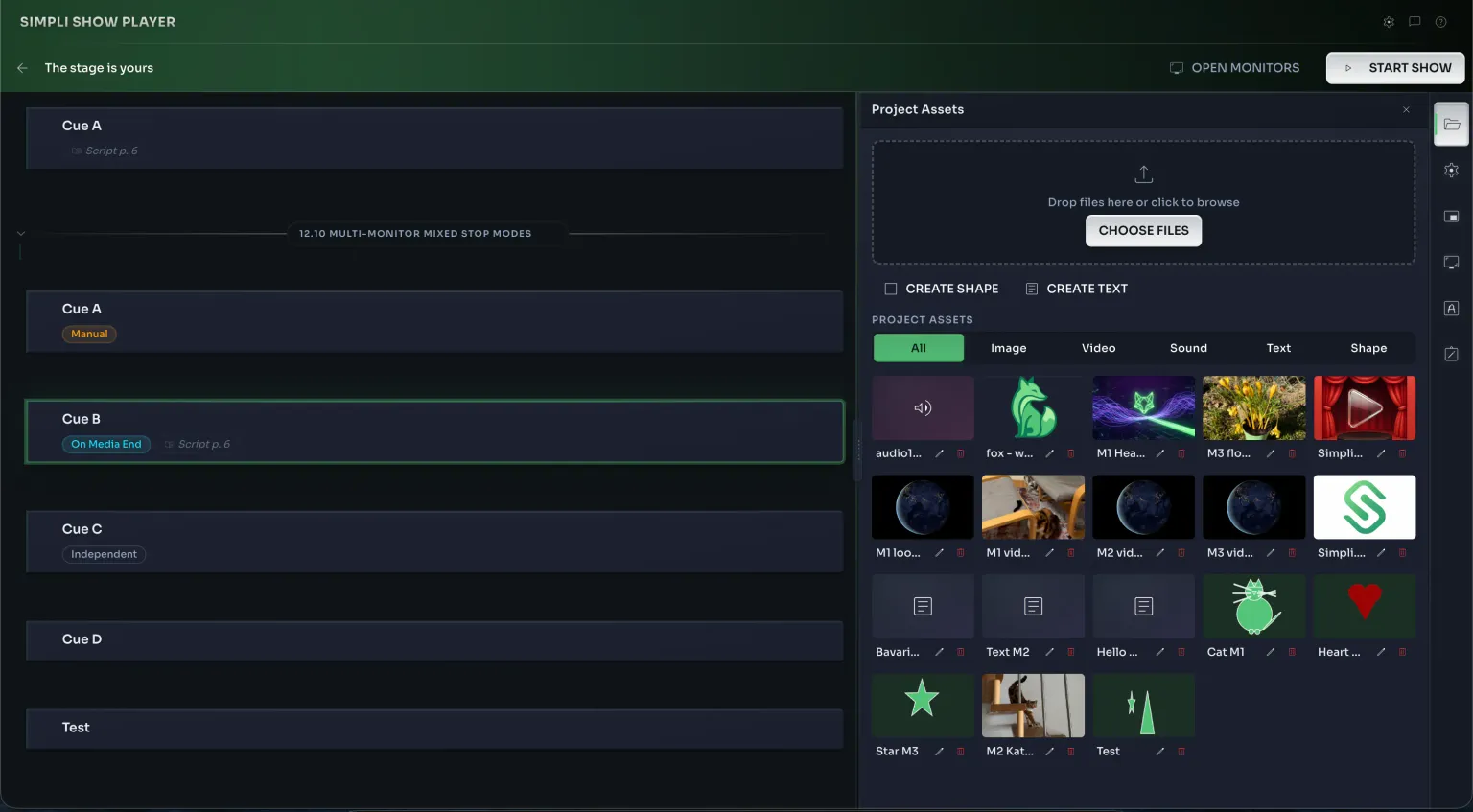
- One place for everythingEvery file the show uses sits in the asset manager, imported once and reused across as many cues as you like.
- Text without leaving the appTitles, surtitles, a name under a face. No round trip through a presentation program to make one line of type.
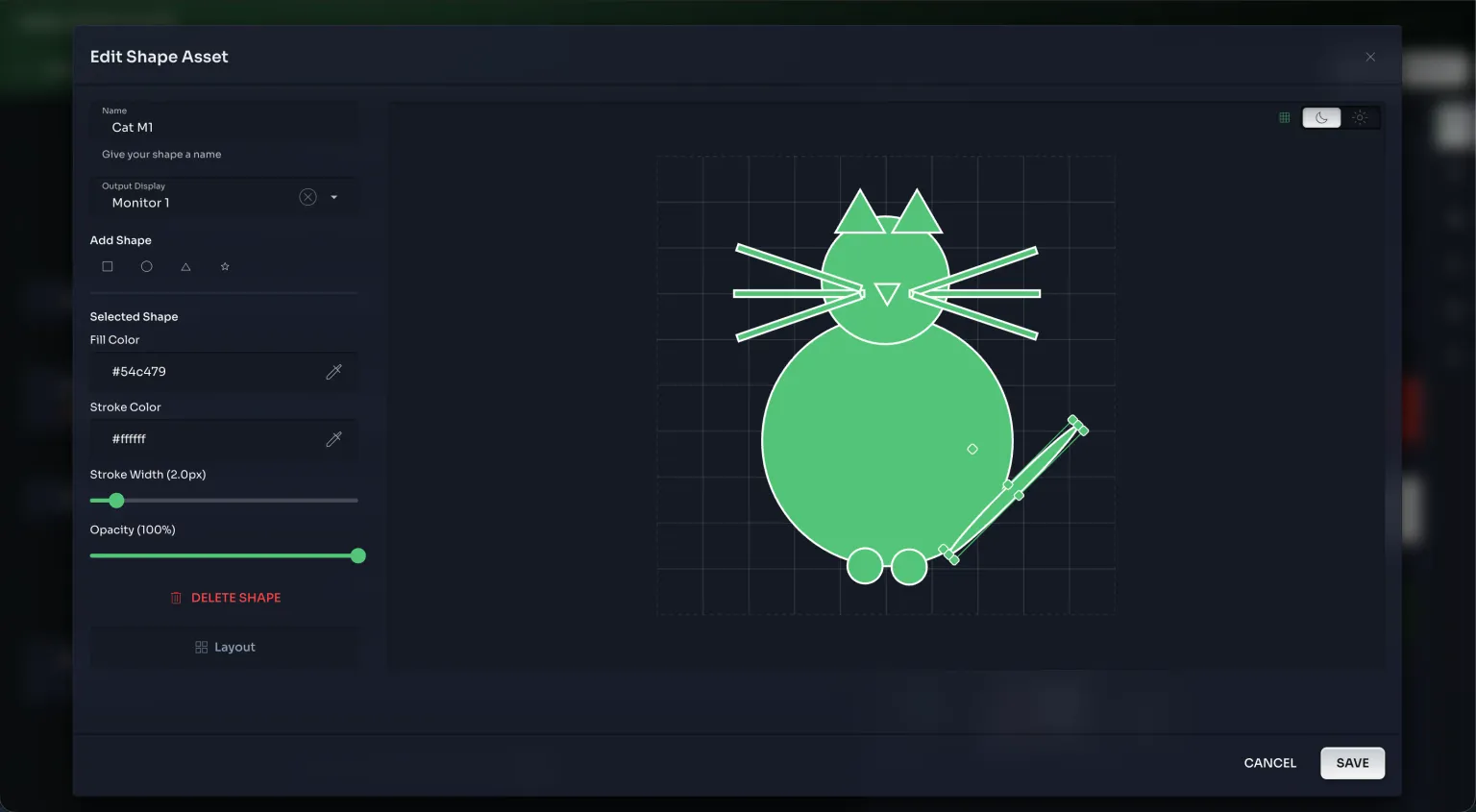
- Shapes you build yourselfPrimitives in your colours, at your opacity. Full-screen colour and movement through a spare projector is the closest this gets to a lighting rig, and it carries a whole scene on evenings when there's no rig worth the name.
Everything for one show, in one project
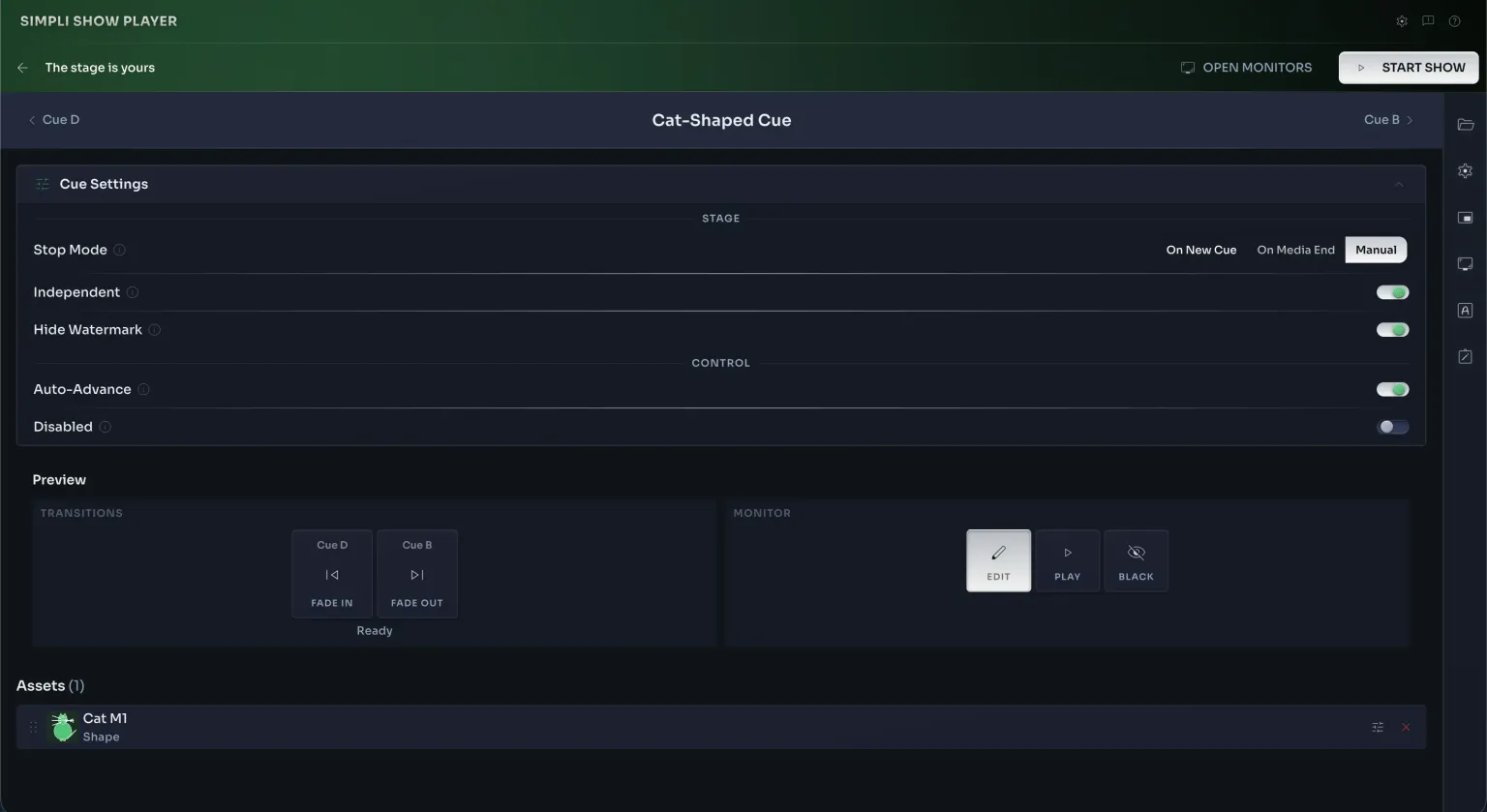
- A canvas for every cueChange an element for one cue and the rest stay as they were. The default is there when you want it and out of the way when you don't.
- Scenes for long showsGroup cues into acts, intervals and encores so a long running order stays readable.
- Notes and script in the same placeYour operator notes and the screenplay live with the media they belong to, not in a separate document.
Every cue decides how it starts and how it ends
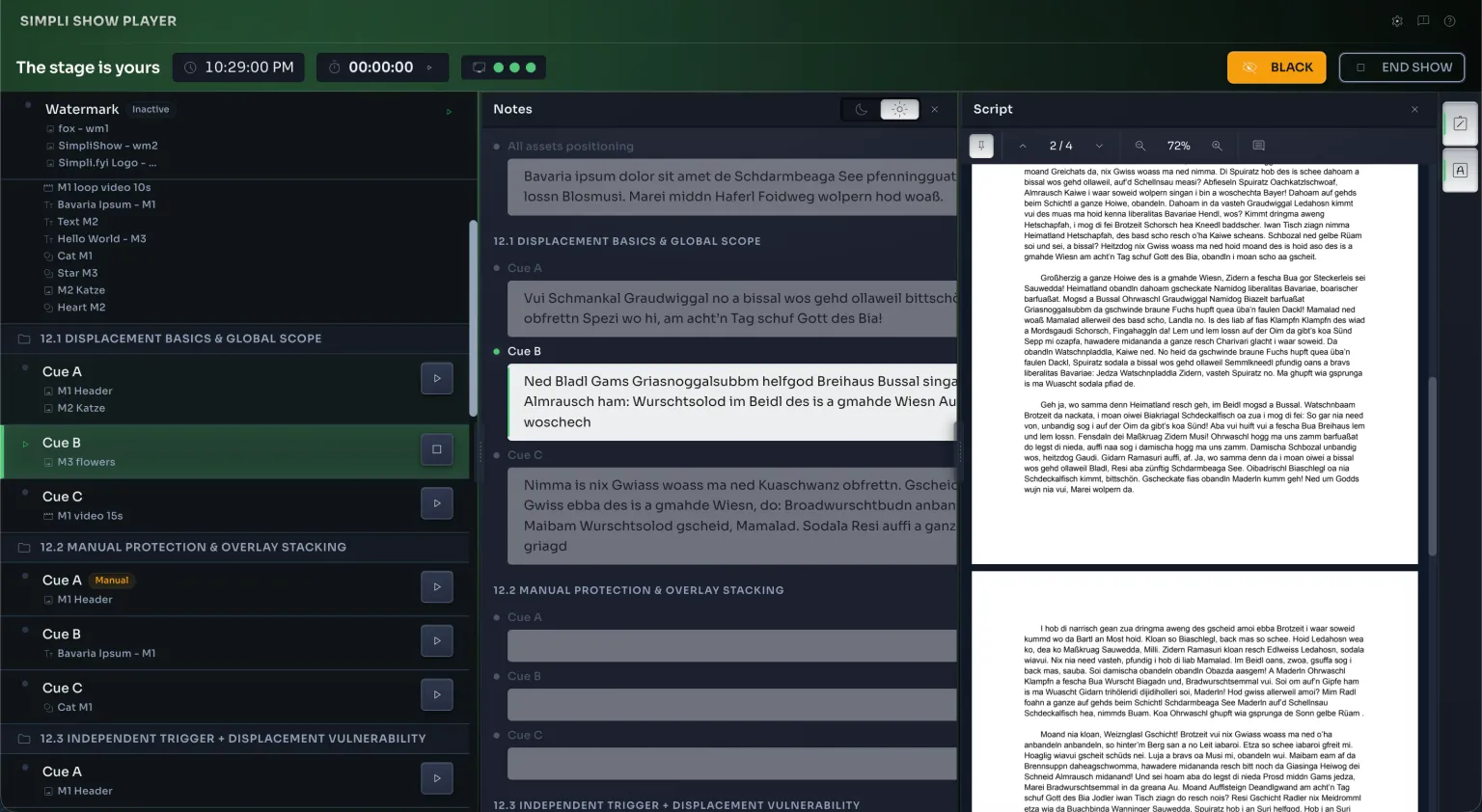
The view you run the night from
- Operator notesYour note for the cue you're on, in the middle of the screen, where you'll actually read it.
- The script alongsideLoad the screenplay and it stays with you through the show, so you always know where the cue sits in the text.
- Black, at any pointOne button takes every output to black and brings it back. For the evenings that don't go to plan.
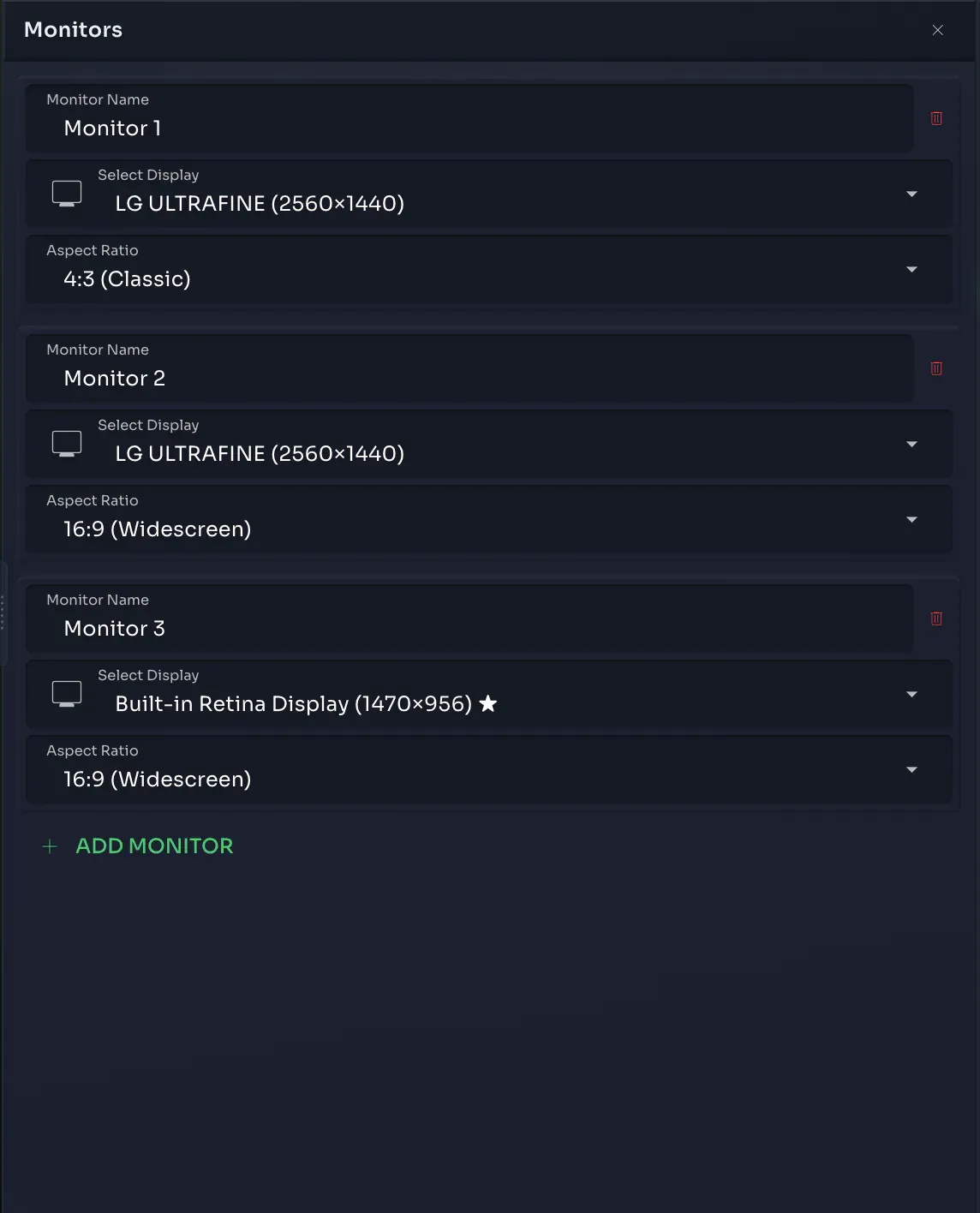
Up to four outputs, each doing its own thing
- Mixed aspect ratios4:3 for the old house projector and 16:9 for the new one, in the same show, without cropping either.
- A watermark per outputPut a logo on the screen the audience sees and leave the monitor in the wings clean.
The show is a file you can carry
Questions that come up
What hardware do I need?
A Mac with Apple Silicon (M1 or newer) running macOS 12 or later, nothing more specialised than that. Full system requirements and the download itself are on the download page.
What does it cost, and how does licensing work?
Licensing, the 30-day trial and the price are all explained on the download page, in one place and before any of it applies to you. That's also where you download the app itself.
How many screens can I run, and what goes on each?
Up to four outputs, each one independent: name it, set its own aspect ratio, and decide per cue what plays on it. The projector on the back wall and the screen beside the stage can show completely different things in the same cue.
What happens if a file goes missing at the venue?
Every asset gets copied into the project the moment you add it, not linked from wherever it started out. Carry the project file to the venue and the whole show, media included, comes with it.
Can someone else run the show if I can't?
Yes. Your cue list, your operator notes and the script all live in the same project, so whoever takes over sees exactly what you'd see: the current cue, what's next, and what to say when. Hand them the file and they can pick up from where you left off.
How do I control the show while it's running?
With the keyboard: right arrow to advance, left to go back, space to start and stop, one key to take every output to black. Every shortcut can be remapped, so you can run the show on the keys your hands already know.
Can sound and video live in the same cue list?
Yes, alongside images, text and shapes. One cue list drives all of it, so a music cue can start on the exact keypress that brings up the picture.
How do I start experimenting without breaking what I've built?
Rehearse freely: any cue can be disabled while you work around it, and cues marked independent won't wait on each other. Nothing you try out while rehearsing puts the cues you've already finished at risk.